Does my child need their own account?
Children — especially younger ones — don’t need a separate account, an email address, or an identity that follows them around the internet. They need a device they can pick up and use to message their family. Anything beyond that is overhead, paperwork, or risk.
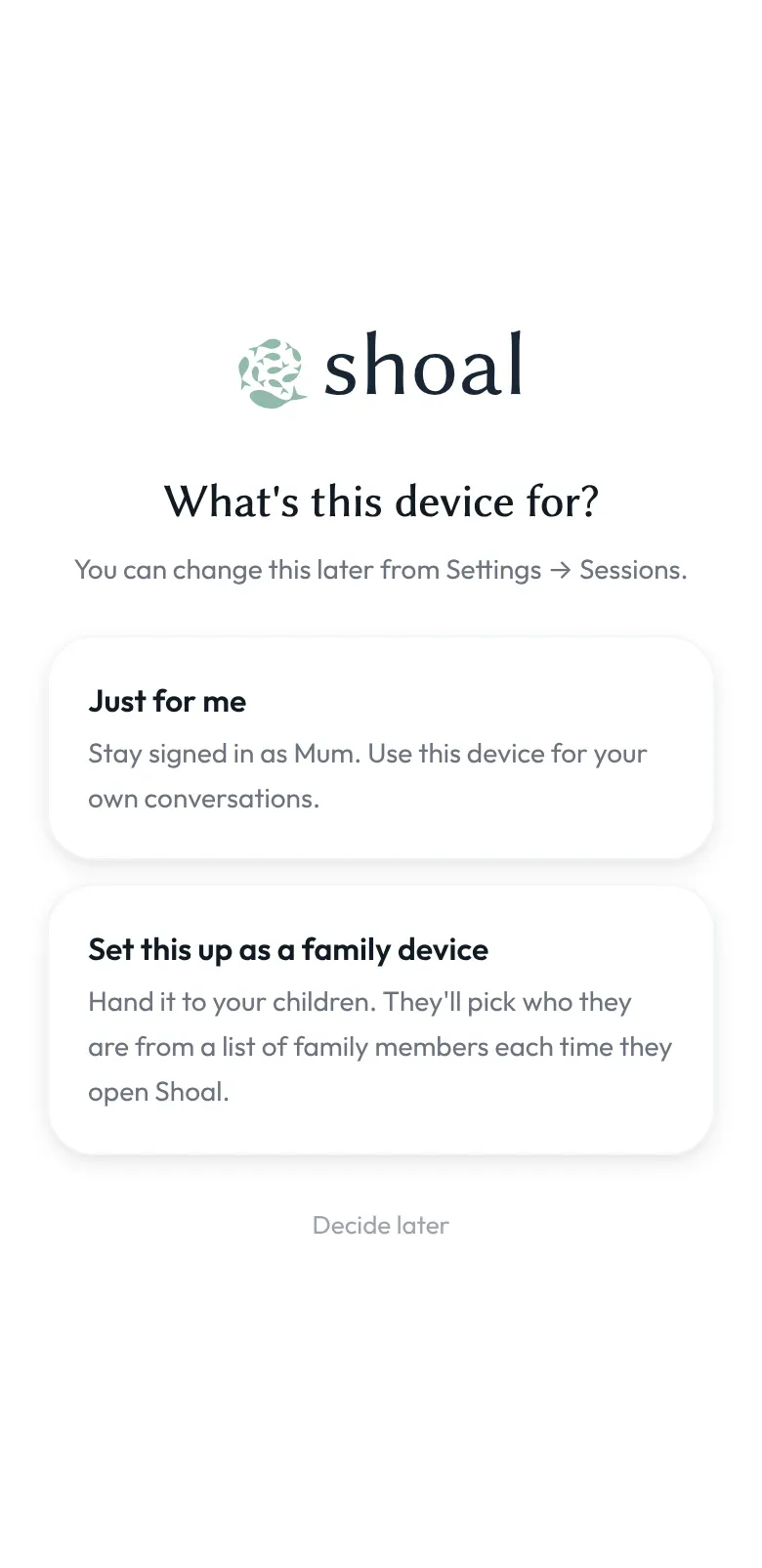
Shoal handles this with family devices: a family admin (usually a parent, but could be any adult you trust) signs in on a device, chooses Set this up as a family device, and from then on the children in the family can use it to communicate.
How it works
- A family admin creates the family in the Shoal app on their own phone and adds each child by name — see adding a child.
- They install the Shoal app on the device the children are going to use — usually an old phone or tablet, often the hand-me-down referenced elsewhere on this site — and sign in as themselves.
- The first time they sign in on a device, Shoal asks: Just for me, or Set this up as a family device? They choose the family device and give it a name, like “Kitchen tablet”. (You can also do this later from Settings.)
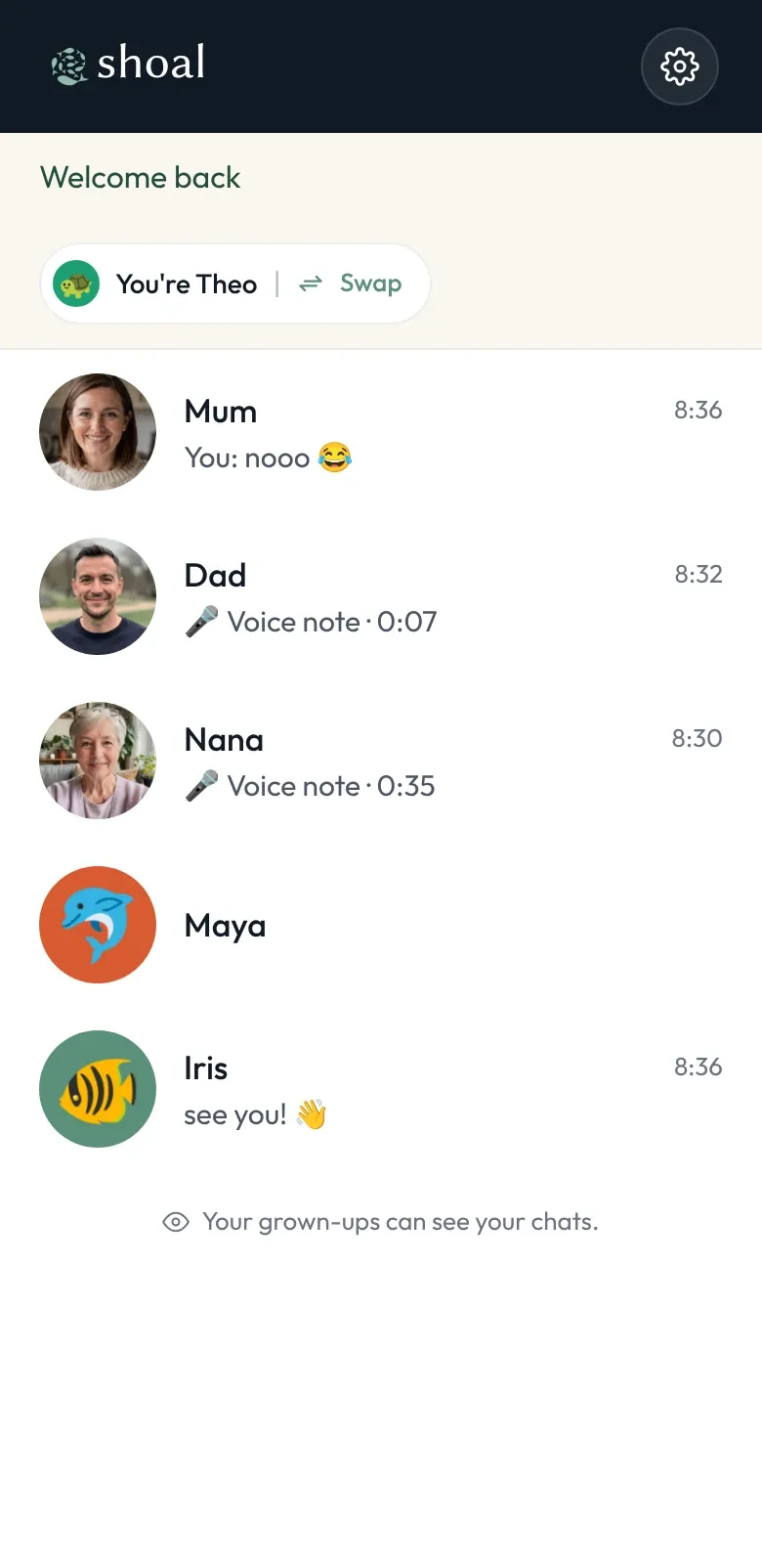
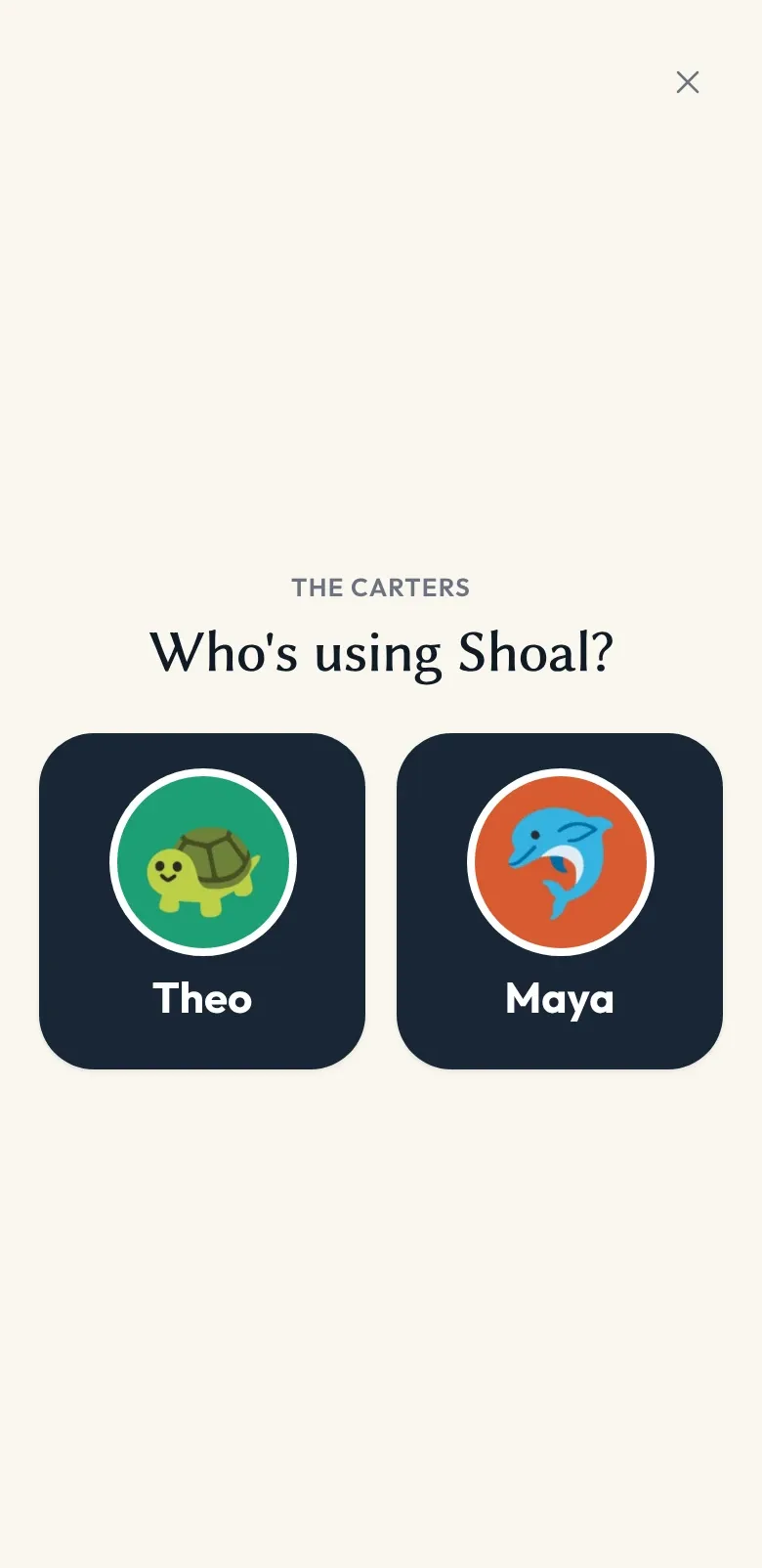
- The children in the family tap their own name in a big button grid, and they’re in. There’s no separate child login, no PIN to remember, no email account for an eight-year-old. When it’s someone else’s turn, the device hands over in a tap.
The family admin’s authentication is what backs the device. Removing or swapping the family device is a family admin action; if a device is lost or sold, any family admin can sign it out from Settings on another device, and the server stops delivering messages to it. Anything already on the device stays on the device, so wipe one before it leaves your house.
Where this fits with the rest of Shoal
Family devices work alongside admin oversight and active hours. The same family admin who decides who a child can talk to, and when, also decides which devices in the household are family devices — and which aren’t.