A second layer, when you want it
Admin oversight gives you visibility — you can read every conversation a child is in. But seeing isn’t the same as preventing, and some families want a second layer: rules that catch certain things before a child sends or reads them, without an adult having to be online at the right moment.
Shoal’s moderation is that second layer. It’s per child, off by default, and turned on only by a family admin (usually a parent, but could be any adult you trust) who wants it.
What can I block or flag?
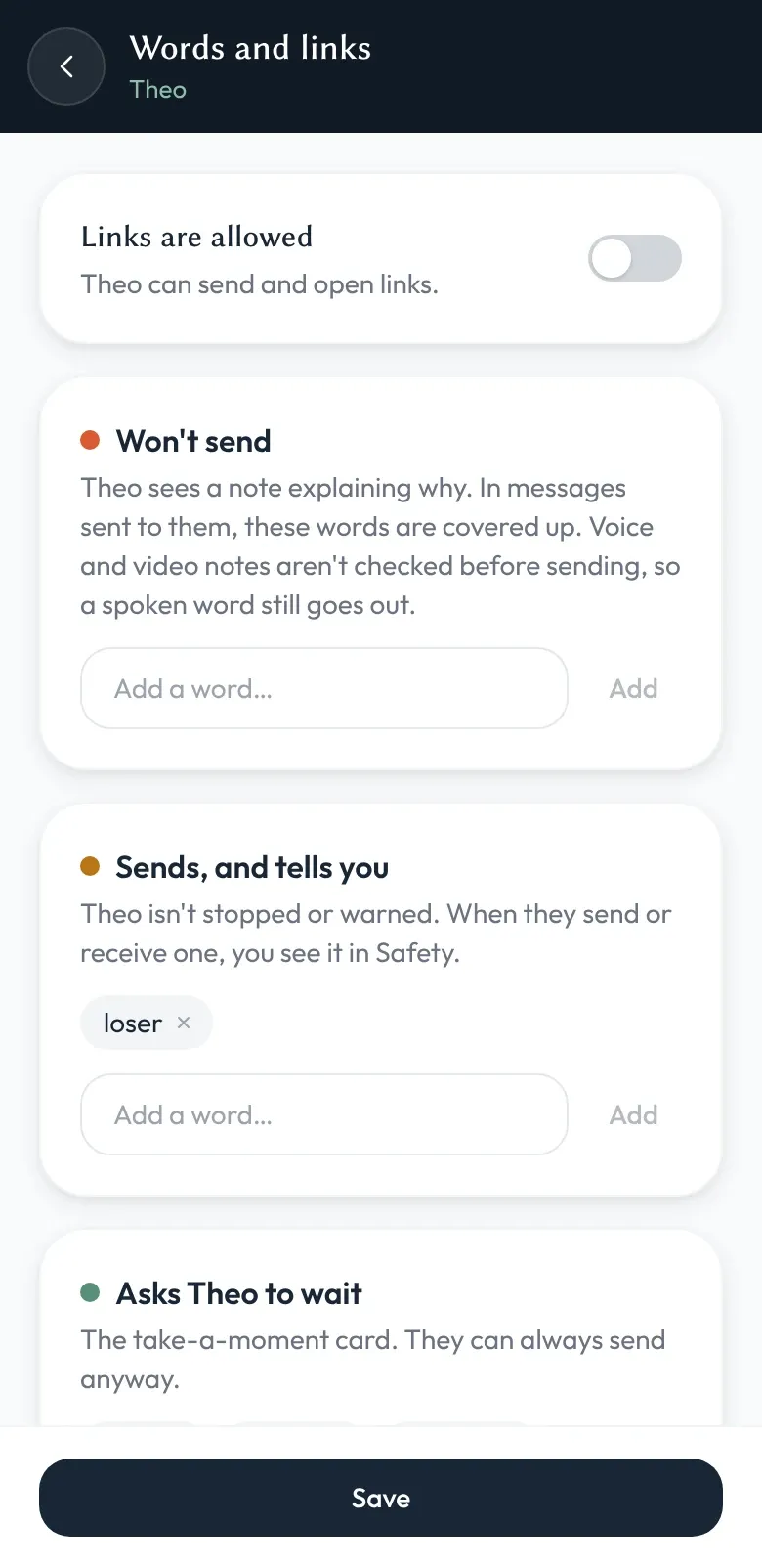
Links, which you can block, and any words you choose, with a choice of what happens to each:
- Block links. Stops the child sending messages that contain a link, and covers up links in messages they receive.
- Won’t send. Words on this list stop a message going out, and the child sees a note explaining why. In messages sent to them, these words are covered up.
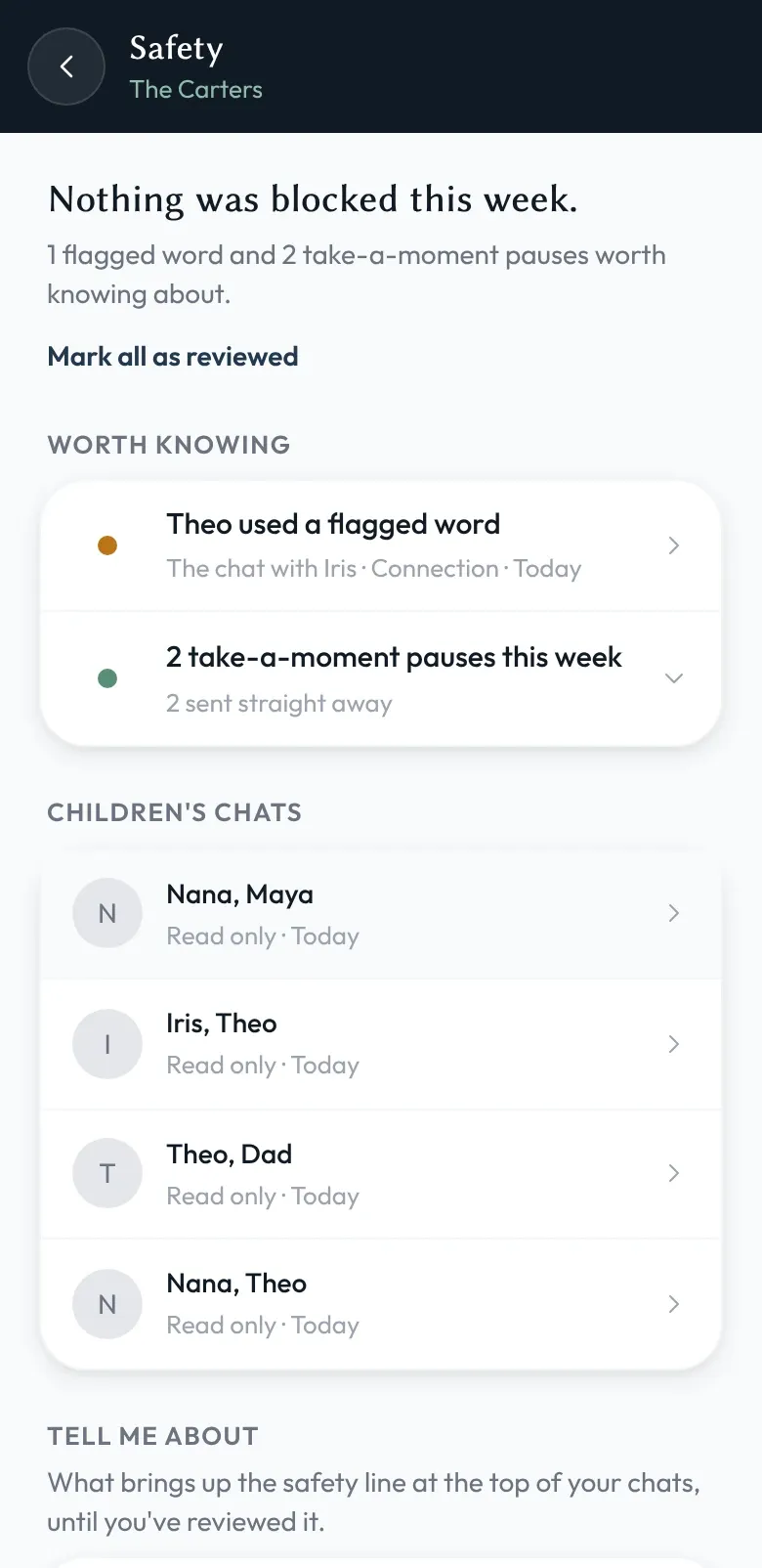
- Sends, and tells you. The message goes through and the child isn’t stopped or warned — but you see it in the Safety feed.
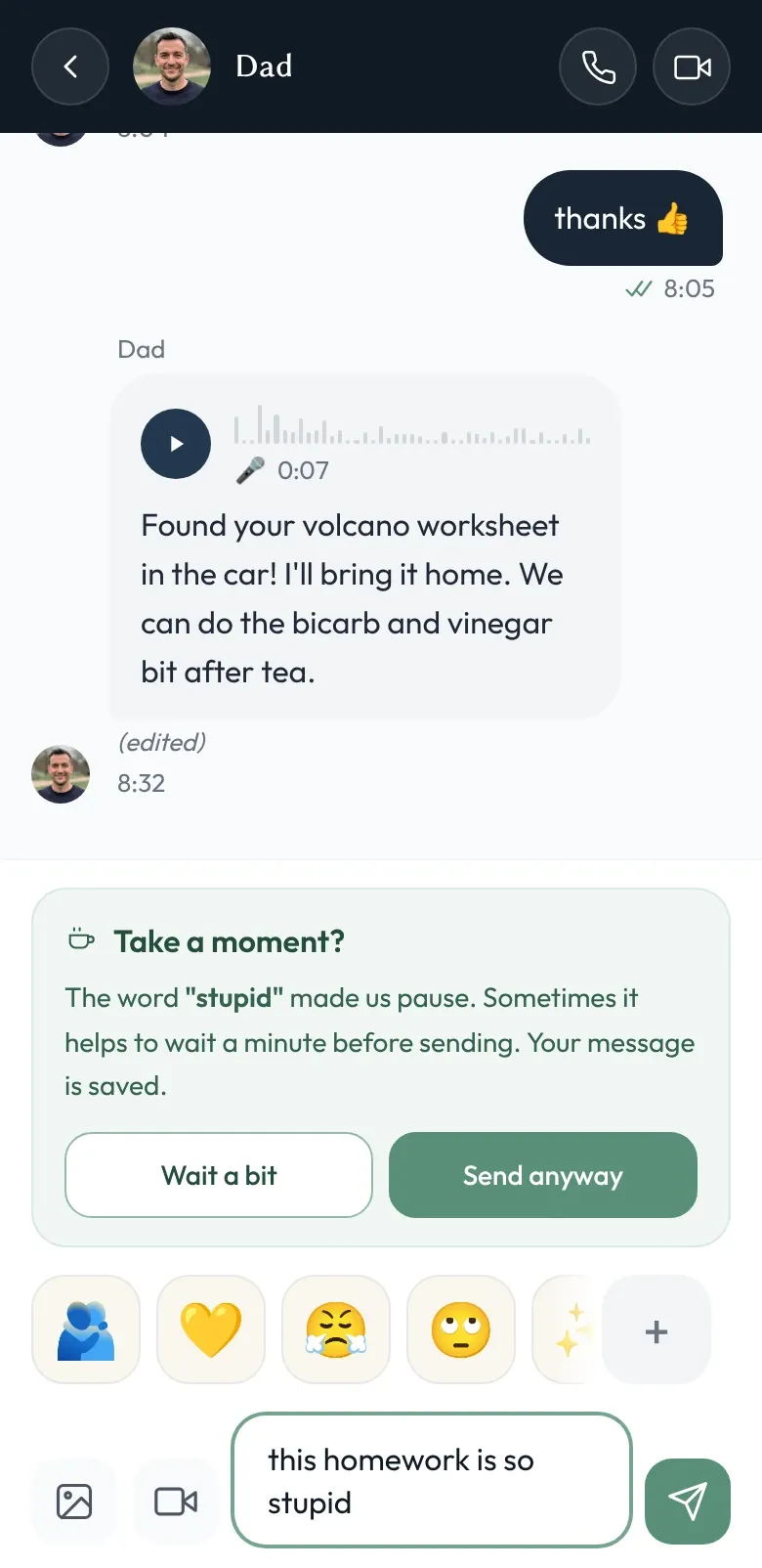
- Take a moment. Before a message with one of these words is sent, the child sees a gentle “Take a moment?” card. They can always send anyway; it’s a pause, not a wall.
Each rule is set per child — so a six-year-old and a thirteen-year-old in the same family can have very different settings, or none at all. Rules apply on every skin.
How it actually works
The rules run on the child’s device, against messages that have already been decrypted there, before a message is sent and as messages arrive. What’s recorded for the Safety feed is which child, which conversation, which rule and when — so you know where to look in admin oversight.
Be aware of one gap: voice and video notes aren’t checked before sending, so a spoken word still goes out. Where a voice note has a transcript, word rules pick it up afterwards.
When a send is blocked, the child sees a plain-language reason rather than a silent failure. There are no hidden penalties.
Are word rules on by default?
No. Most families don’t need them. The closed contact list, admin oversight, and active hours already cover the common cases — and a child who can talk to their cousin without a keyword list inspecting every word is generally a happier child. We don’t think a messenger should default to filtering language.
But for younger children, for families where a particular kind of link or word has caused a real problem, or for the period after something has gone wrong and you want a stricter setting for a while — moderation is there. It’s a soft control, not an adversary-grade firewall: a determined teenager can paraphrase around a word list. The point is to catch the easy cases and to make admin oversight the backstop for the rest.
Three dials, not one
Moderation pairs with admin oversight, active hours, and Connections. Together they’re the dials a family can turn — who a child can talk to, when the app is available, and what can pass through it — without surrendering the rest of the device, the rest of the day, or the rest of your child’s privacy.