Talk when typing is the wrong shape
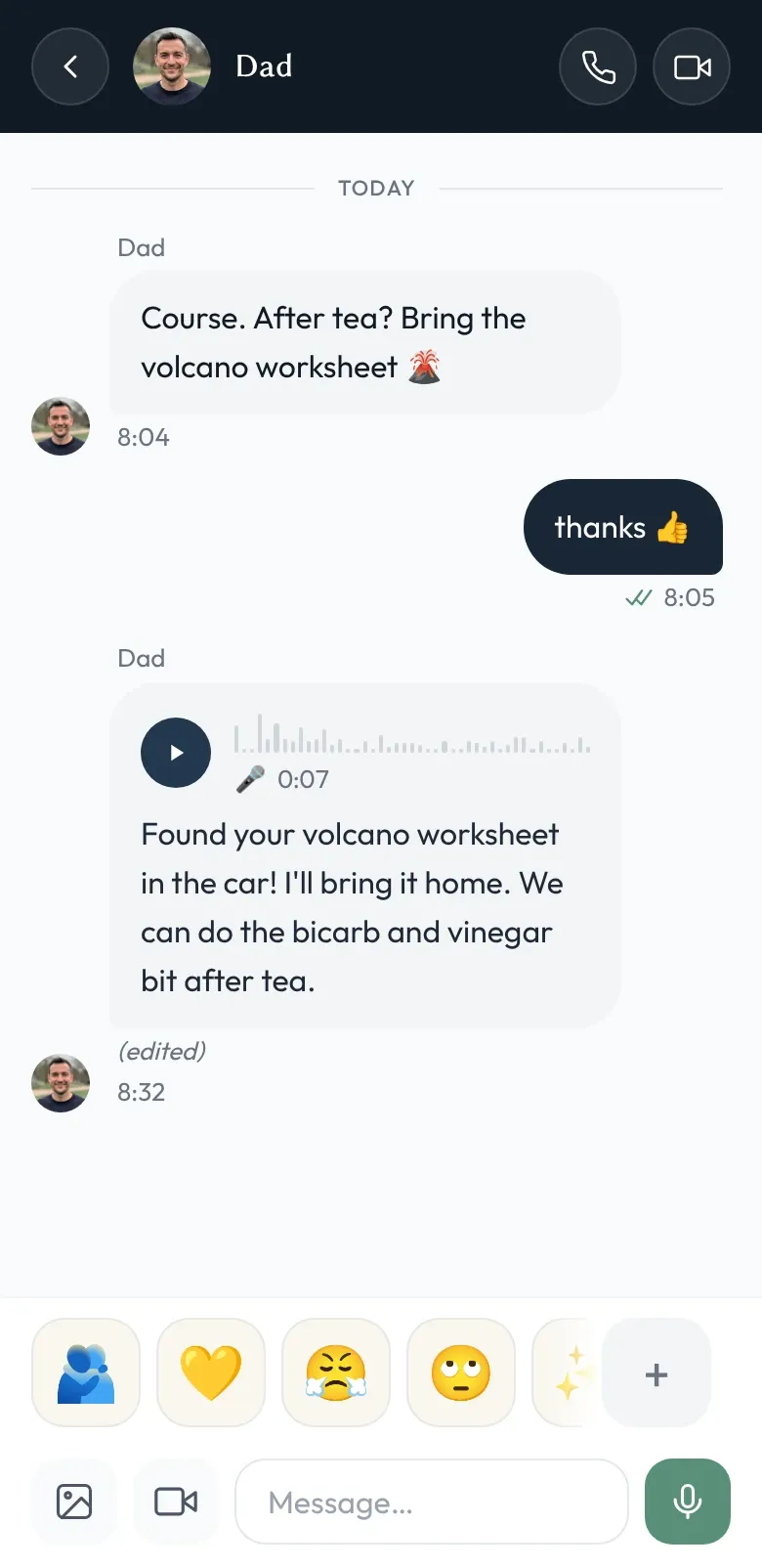
Some things are easier to say than to type. A bedtime story for a grandchild who’s away for the week. A quick walk-and-talk on the way home. The right tone of voice on something a sentence in a chat wouldn’t carry. Voice notes are for those.
Shoal voice notes sit inside the same conversations as text messages, with the same recipients, the same encryption, and the same admin oversight. Tap and hold to record; release to send. Playback is built in.
Optional on-device transcription
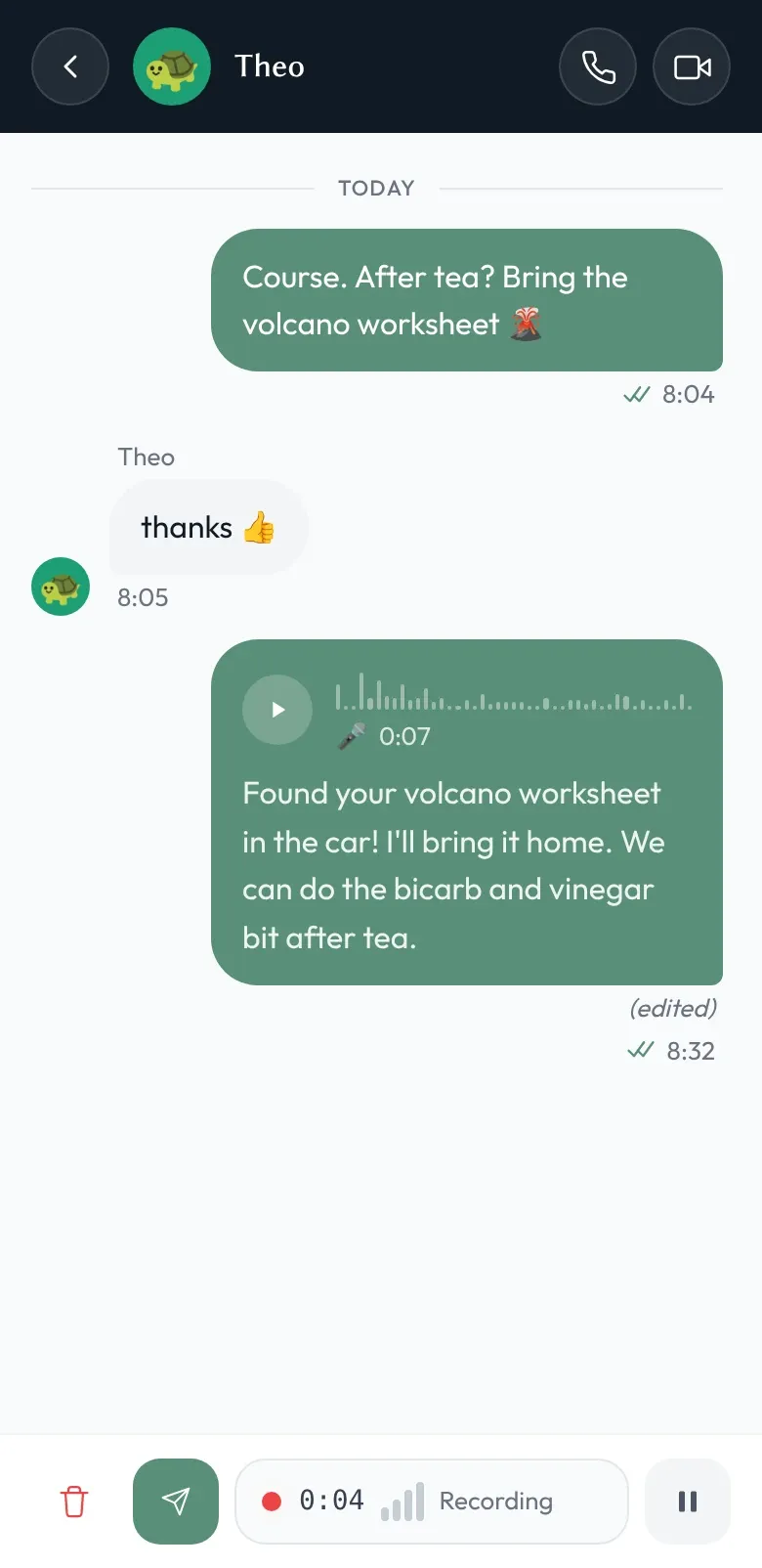
Voice notes are wonderful when you’re free to listen, and a nuisance when you’re not — in a meeting, on a noisy train, looking after a baby who’s just fallen asleep. So Shoal can turn a voice note into text on the receiving device, using a speech-recognition model that runs on the device itself.
A few specifics:
- It’s optional. Transcription is something you choose to use, not something that happens behind your back.
- It runs locally. Shoal downloads a speech model to your device once — English-only, or a multilingual model in two sizes (roughly 40–75 MB), chosen in Settings → Voice notes & speech. The audio is decrypted on your device, transcribed there, and the text comes back without ever crossing the network.
- Transcripts are encrypted. Once produced, transcripts are encrypted with the conversation key — the same AES-256-GCM key that wraps the audio and any text in that conversation — and stored alongside the voice note for replay. Recipients who weren’t around when the transcript was generated can decrypt it later.
- You can correct it. If a transcript came out garbled, you can edit it — still on your device.
What does Shoal receive when you send a voice note?
Nothing decrypted. The audio leaves the sending device as ciphertext; the transcript, if there is one, is produced and encrypted on a recipient device before it’s stored. Our servers store and route encrypted bytes, and don’t call a cloud speech service.
This isn’t a separate privacy story bolted onto voice notes; it’s the same model as text messages — including the same honest caveat that Shoal holds the keys. The security page explains what that means.
Can I listen to my child’s voice notes?
Voice notes are messages, so the same admin oversight rules apply. Family admins can listen to children’s voice notes, and read any transcripts, in the same oversight view they use for text messages.
Word and link rules check transcripts where a transcript exists — so the words a family admin has blocked or flagged are picked up in spoken messages too, after the voice note is sent. Without a transcript there’s nothing for a word rule to inspect, but active hours still apply.
Why we did it this way
We could have built transcription as a server-side feature — upload encrypted audio, decrypt server-side, run it through a cloud speech model, hand the text back. It would have worked on more devices and produced slightly better transcripts. It would also have meant decrypting your audio on our servers, which our design rules out: content is decrypted on your devices, not on our servers.
So we didn’t. On-device transcription has limits — the model is a one-off download, quality is better in English than in some other languages, and older devices are slower — but it keeps the property that matters: decrypted message contents, in any form, don’t reach our servers.