Updated October 2026: Transcription now uses a speech model that Shoal downloads to the device (English-only or multilingual), rather than the operating system’s built-in recogniser. It still runs entirely on the device. Note that Shoal is encrypted, not end-to-end encrypted — see the security page.
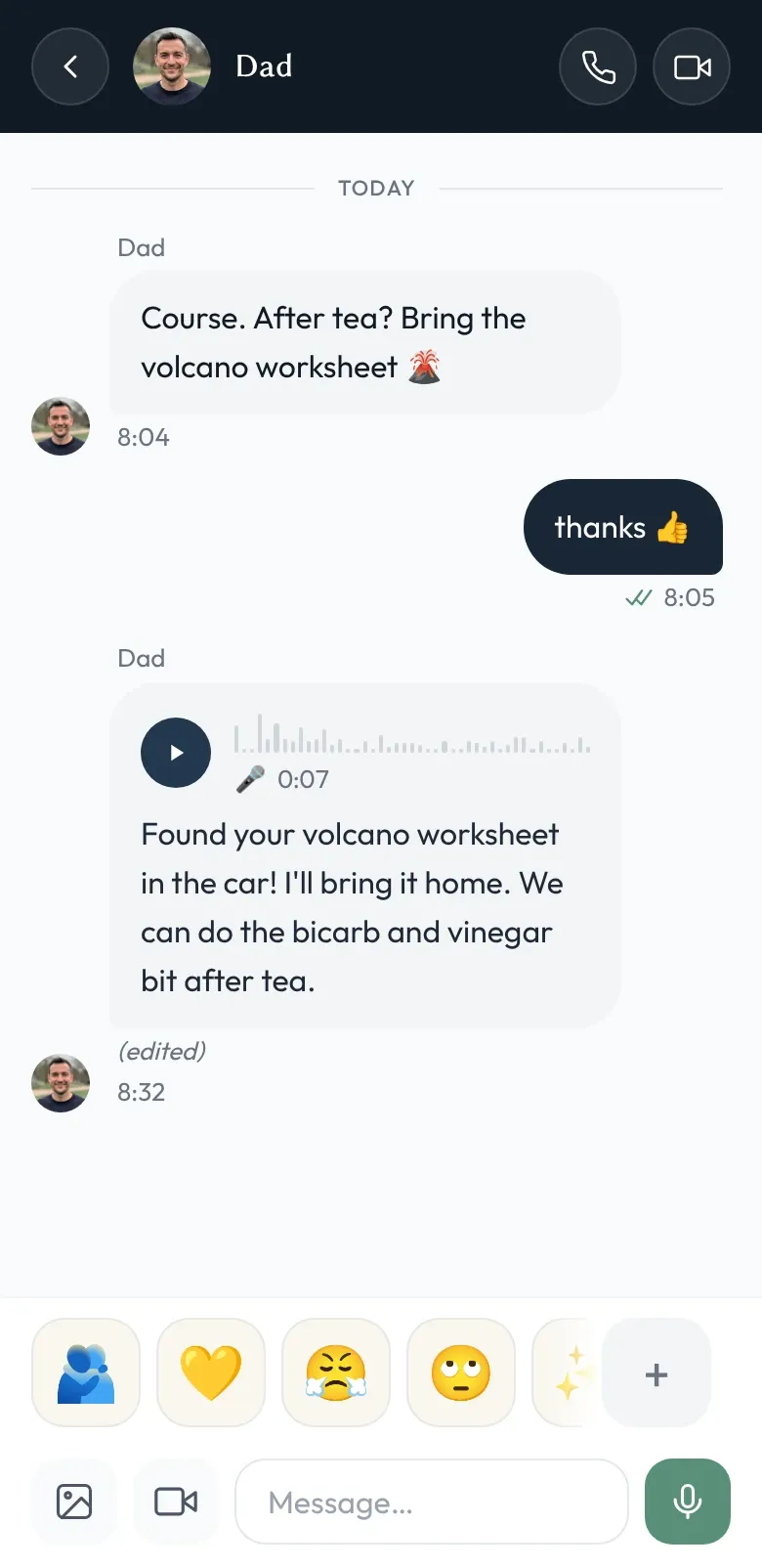
Voice notes are live in Shoal. You’ll see a microphone next to the message composer; tap and hold to record, release to send. They sit inside the same conversations as text, with the same recipients and the same admin oversight as everything else.
There were two ways we could have built the “read it instead of listening” part of this, and only one of them was compatible with the rest of the app.
The version we didn’t build
The easy version of voice-note transcription is to upload the audio to your provider, decrypt it server-side, run it through a cloud speech model, and hand back the text. Almost every messenger that offers transcription does it this way, because cloud speech models are cheap, accurate, and trivially good at handling accents and background noise.
It also means the provider holds your audio in the clear, however briefly, and the resulting text in whatever form their model spits out. For most apps that’s already where the audio sat — they don’t encrypt messages from us in the first place. For Shoal it would have been the only place we did read decrypted message contents on our servers. The encryption claim that runs through the rest of the site would have quietly stopped being true for one specific kind of message.
We decided we weren’t willing to do that.
What we shipped instead
Transcription in Shoal runs on the recipient’s device, using a speech-recognition model that the app downloads once and then runs locally. It’s surprisingly good — not as polished as a frontier cloud model, but very serviceable for the kinds of conversations a family actually has.
The flow looks like this:
- You record a voice note. The audio is encrypted with your conversation’s AES-256-GCM key on your device, and the ciphertext goes to our servers.
- A recipient’s device fetches the ciphertext and decrypts it locally.
- If transcription is on for that conversation, the recipient’s device runs the audio through the on-device speech model, gets text back, encrypts the text with the conversation key, and stores it next to the audio.
- Anyone else in the conversation who wasn’t around when the transcript was generated can fetch and decrypt it later. They never need to re-transcribe unless they want to.
At no point in any of that does decrypted audio or transcript text touch the network.
Some honest limits
On-device speech recognition isn’t quite cloud-grade. The model is a one-off download, older and mid-range phones are noticeably slower, and quality is better in English than in some other languages. If a transcript comes out garbled you can re-transcribe locally, but you can’t currently force the app to use a different language than your device’s setting.
Transcription is off by default for each conversation, because some families don’t want it and some recipients don’t want their device to do the work. You can turn it on per conversation from the conversation’s settings.
How this fits with everything else
Voice notes are messages. So all the structural things that apply to messages apply to voice notes: admin oversight sees them in the same way, moderation acts on the transcript when one exists, active hours gate them like any other message, and push notifications carry their metadata the same way.
The new bit, really, is on-device speech recognition — and the more important thing is what we didn’t do to make it work. The voice notes feature page has the full description; the security page lists voice note audio and transcripts alongside everything else we hold encrypted at rest.
As ever: try Shoal to give it a go, and if you spot anything off, hello@shoal.chat.